
Winter Gear / Handwear Guides
Best Touchscreen Gloves: 16 Picks That Actually Let You Use Your Phone
A warm hand that can’t unlock its own phone is only half a solution. We compared sixteen of the most popular touchscreen gloves on the market — knit, waterproof, leather, running, and fingerless — judging each on touch accuracy first, then warmth, fit, grip, and durability.
How this guide works
Touch first, warmth second — in that order
Most winter glove guides rank handwear by insulation and treat the touchscreen feature as a bonus line in a spec sheet. That is backwards. If a glove cannot register a tap reliably, you will pull it off every time you need directions, answer a call, or pay for something — and a glove that comes off is a glove that does not keep you warm.
So we started with conductivity: how many fingertips register, how consistently, and how the glove behaves when the temperature drops and your phone’s battery starts complaining. Everything else — weather protection, cuff design, grip, lining, and price bracket — came after.
- Touch coverage
- Cold-weather reliability
- Fit & dexterity
- Grip and phone security
- Build quality
- Value per pair
The short version
Why most winter gloves fail at the one thing you bought them for
Every winter, the same tiny tragedy plays out at bus stops, trailheads, and school pickup lines. Someone digs a phone out of a pocket, taps the screen with a gloved thumb, and nothing happens. They tap harder. Nothing. Off comes the glove, and thirty seconds later the hand that the glove was protecting is cold again.
The problem is not that glove makers are careless. It is that a phone screen and a winter glove are solving opposite problems. A touchscreen works by sensing the tiny electrical field your fingertip interrupts when it comes close to the glass. A winter glove exists to put an insulating barrier between your skin and the outside world. Every layer that makes a glove warm is a layer standing between your finger and that electrical field.
Touchscreen gloves are the compromise: conductive thread, conductive coatings, or metallic fibers stitched into the fingertips so the signal can travel through the fabric to the glass. Done well, the feature is invisible — you just use your phone. Done poorly, you get a glove with a single grey fingertip patch that works for a week and then stops, or that only registers if you press hard enough to move the phone out of your other hand.
This guide covers the full range of what is available right now, from lightweight commuter knits you can wear while texting on a train platform to heavily insulated waterproof shells built for snow and cold-weather work. We have grouped the sixteen gloves into categories so you can jump straight to the type that matches your winter, and every individual pick has its own breakdown with features, strengths, limitations, and who it suits best.
A quick note on specs. Glove listings change frequently, and brands update linings, coatings, and sizing between runs. Where a detail is not fixed and verifiable, we describe the glove in general terms — “insulated winter build,” “snug athletic fit” — rather than quoting numbers we cannot stand behind. Always confirm current details on the product page before ordering, particularly sizing.
Swipe to see more →
Quick Comparison: Our Top Picks
Every glove in this guide is listed here. Use the “Best For” label to find the category you need, then scroll down to the full review.
| # | Image | Product | Key Specs | Verdict | Price |
|---|---|---|---|---|---|
| 1 |  |
Top PickThe North Face Etip GlovesBest Overall |
|
The one you forget you are wearing — and the tap just works. | Check Price on Amazon |
| 2 |  |
OZERO Waterproof Winter Touchscreen GlovesBest Waterproof |
|
For wet snow and slush where a knit glove surrenders. | Check Price on Amazon |
| 3 |  |
MOREOK -30°F Winter GlovesBest for Extreme Cold |
|
When “cold” means genuinely dangerous, not just uncomfortable. | Check Price on Amazon |
| 4 |  |
TRENDOUX Unisex Touchscreen Thermal GlovesBest Thermal Knit Value |
|
The dependable everyday knit that punches above its price. | Check Price on Amazon |
| 5 |  |
Achiou Winter Warm Touchscreen GlovesBest Budget Warm Knit |
|
Cheap enough to own two pairs and never be caught out. | Check Price on Amazon |
| 6 |  |
Anqier Winter Touchscreen GlovesBest Budget Everyday |
|
A no-drama commuter glove that does the basics right. | Check Price on Amazon |
| 7 |  |
Unigear Running GlovesBest for Running |
|
Minimal bulk, maximum control — ideal when you are working hard. | Check Price on Amazon |
| 8 |  |
SIMARI Winter GlovesBest for Cold-Weather Activity |
|
Balanced enough for a winter run and a grocery run. | Check Price on Amazon |
| 9 |  |
rivmount Waterproof GlovesBest Waterproof Commuter |
|
Weatherproof without the ski-glove bulk. | Check Price on Amazon |
| 10 |  |
Patelai Touchscreen Gloves (3-Pair)Best Multi-Pack |
|
Keep a pair in every jacket and stop losing the good ones. | Check Price on Amazon |
| 11 |  |
Warmen Touchscreen Cashmere Blend-Lined GlovesBest Dress Upgrade |
|
Looks formal, behaves like a tech accessory. | Check Price on Amazon |
| 12 |  |
REACH STAR Cashmere-Lined Touchscreen GlovesBest Premium Feel |
|
The one you wear to a winter wedding and still text in. | Check Price on Amazon |
| 13 |  |
Evridwear Fingerless Touchscreen GlovesBest Fingerless |
|
When precision matters more than weather protection. | Check Price on Amazon |
| 14 |  |
Isotoner Touchscreen GlovesBest Classic Brand |
|
Understated, tidy, and easy to wear with a coat. | Check Price on Amazon |
| 15 |  |
Glider Gloves Copper-Infused Touchscreen GlovesBest Touch Precision |
|
Built by people who clearly got tired of missed taps. | Check Price on Amazon |
| 16 |  |
Harrms Touchscreen Leather Knitted Cuff GlovesBest Leather with Knit Cuff |
|
Wind-blocking leather outside, sweater-soft cuff at the wrist. | Check Price on Amazon |
Ready to stop taking your gloves off?
Start with the picks above, or browse the full range of touchscreen gloves if you have a specific climate, activity, or budget in mind.
Browse Touchscreen Gloves on AmazonSection 01
How touchscreen gloves actually work
Understanding the mechanism takes two minutes and will save you from buying the wrong pair twice. Once you know what the screen is actually listening for, it becomes obvious why some gloves feel magical and others feel broken.
Your phone’s screen is a capacitive panel. Beneath the glass sits a grid that holds a very small electrical charge, and when a conductive object — your finger — comes near, it disturbs that field at a specific point. The phone reads the disturbance as a touch. The key word is conductive. Glass, wool, leather, and most synthetic fabrics are insulators, which is why a normal glove blocks the signal entirely and the screen ignores you.
Touchscreen gloves solve this by giving your fingertip an electrical path to the glass. There are three common approaches, and they behave very differently in daily use:
- Conductive thread stitched into the fingertips. Fine metallic fibers — often silver-coated or stainless — are knitted or sewn into the tip of the index finger and thumb. The conductivity is part of the fabric, so it moves with your finger and generally lasts as long as the glove.
- Conductive coatings or printed patches. A treated area is applied to the fingertip. These can work beautifully when new, but a coating is a surface layer, and surface layers wear, crack, and peel with friction and washing.
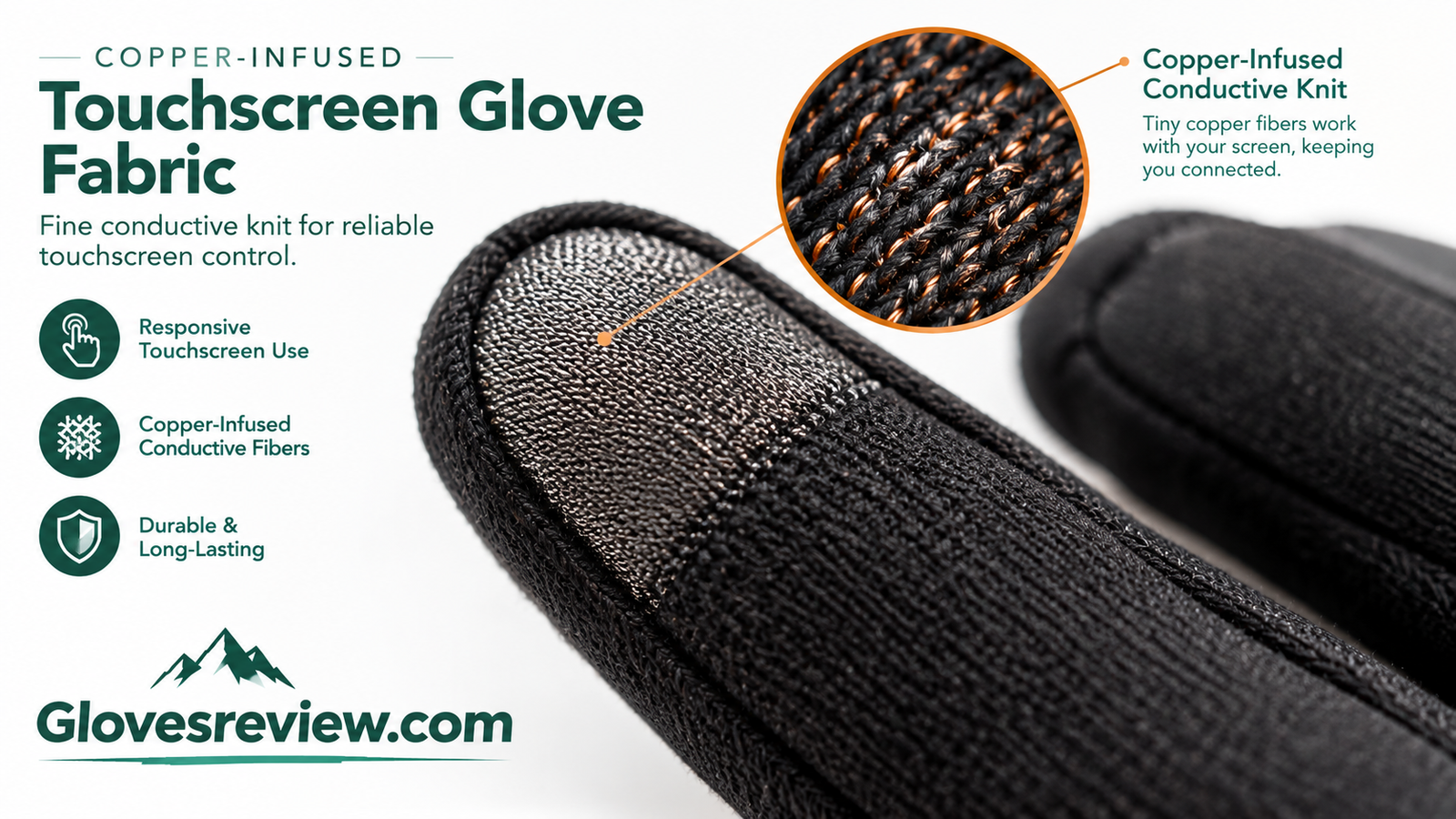
- Whole-fabric conductivity. Some gloves infuse conductive material throughout the knit — copper-infused constructions are a good example — so the entire hand can register a touch. This is the most forgiving approach because you are not hunting for a specific spot on a specific finger.
Two more variables decide how a glove actually feels. The first is insulation thickness. The thicker the material between your fingertip and the glass, the weaker and less precise the signal becomes. This is the fundamental trade-off of the category: warmth is measured in millimeters of insulation, and those same millimeters are what the touch sensor has to read through. A heavily insulated ski glove with touchscreen tips is making a compromise, not performing a miracle.
The second variable is coverage. Many gloves make only the thumb and index finger conductive, which is perfectly fine for scrolling and typing and annoying for everything else. Others extend conductivity across all five fingertips, which matters more than you would think once you start using pinch gestures, camera controls, or a map that wants two fingers and a thumb.
What helps registration
- A close fit at the fingertip with no loose fabric between the pad and the glass
- Conductive material that covers the very tip, not just the front face of the finger
- A clean, dry screen — moisture and residue interrupt the signal too
- Slightly larger on-screen targets, which forgiving touch gloves reward
What kills it
- Bulk and loose fingertips that let the contact point wander
- Wet gloves — water conducts unpredictably and causes ghost touches
- Worn conductive patches after heavy washing or abrasion
- Very cold phones with fading battery output, which register touches less readily
If you are also shopping for electrically heated handwear, the same logic applies to the fingertips: heat and touch performance both depend on how the glove is built at the tip of the finger. Our guide to how heated gloves work covers the mechanics of battery-powered warmth and where touch capability fits into that picture.
Want gloves that get the fundamentals right?
Search by the feature you care about most — full-finger conductivity, waterproofing, or lightweight knits — and compare construction details before you buy.
Search Touchscreen Gloves on AmazonSection 02
What to look for when you buy touchscreen gloves
Six criteria decide whether a pair becomes the glove you reach for every day or the glove that lives in a drawer. Work through them in order and the marketing copy stops being confusing.
- Touch coverage. Decide honestly how you use your phone. Two-finger coverage is enough for messaging and scrolling. If you photograph, navigate, or use your phone one-handed while carrying something, prioritize gloves with conductivity across several fingertips.
- Warmth to dexterity ratio. Match the glove to the temperature you actually face. A lightly lined knit is comfortable for brisk urban winters and hopeless in a deep freeze; a heavily insulated glove is the reverse of what you want for a run.
- Weather protection. Water is the real enemy of warm hands, because wet insulation stops insulating. Waterproof builds use membranes and sealed construction; water-resistant builds shed light moisture but will saturate in sustained rain or slush. The difference matters more than the temperature rating on the label, and our comparison of waterproof versus water-resistant gloves breaks down when each is the right call.
- Fit. Touch performance depends on fit more than any other glove category. Too tight and your fingers get cold from restricted circulation; too loose and the conductive tip floats away from the glass. Sizing is covered in detail further down.
- Grip. A phone is a smooth glass brick held with a gloved hand over pavement. Silicone or printed palm grip is not a luxury feature — it is how you avoid dropping the thing you just bought the gloves to use.
- Cuff and wind sealing. Heat escapes at the wrist, and a gap at the cuff turns a warm glove into a cold one. Look for knitted, ribbed, or adjustable cuffs that sit under or over your sleeve without riding up.
Swipe to see more →
Conductive patch vs. full-finger conductivity vs. fingerless
| Approach | Touch experience | Warmth | Best for |
|---|---|---|---|
| Fingertip patches or tips | Reliable for tapping and typing; less flexible for multi-touch gestures | Highest — full insulation elsewhere | Deep cold, commuting, outdoor work |
| Full-finger conductivity | Most natural; every finger can interact with the screen | Moderate to high, depending on lining | Everyday use, photography, navigation |
| Conductive-infused knit | Consistent across the glove surface, forgiving of finger placement | Light to moderate | Active use, mild cold, precision work |
| Fingerless | Perfect by definition — bare skin touches the glass | Minimal at the fingertips | Indoor use, cold offices, high-dexterity tasks |
Insulation type deserves one extra word, because it shapes both warmth and bulk. Fleece and brushed knits trap air and stay soft when damp; thicker synthetic fills add warmth without much weight; and natural linings such as cashmere blends feel luxurious and breathe well but demand gentler care. If you want to go deeper on the trade-offs between common lining materials, our guide to Thinsulate versus fleece gloves explains how each behaves in real cold.
Finally, think about the second pair. Most people who live somewhere genuinely cold end up with two sets: a light touchscreen glove for active days and a heavier weatherproof pair for standing still in bad conditions. Buying with that structure in mind costs less than buying one expensive pair and discovering it is wrong for half your winter.
Compare the details side by side
Once you know which approach fits your winter, filter by conductive coverage, lining, and cuff style to shortlist a few candidates.
Browse Winter Touchscreen GlovesSection 03
Best for everyday carry and commuting
These are the gloves that live in your coat pocket. They are light, quick to pull on, refined enough for a work setting, and above all responsive on a screen while you are standing on a platform with one hand full.
Swipe to see more →
| Product | Best for | Touch coverage | Warmth level | Price |
|---|---|---|---|---|
| The North Face Etip Gloves | Overall everyday use | All five fingers | Light | Check Price |
| Isotoner Touchscreen Gloves | Smart-casual wear | Fingertip pads | Moderate | Check Price |
| TRENDOUX Thermal Gloves | Best-value daily knit | Thumb and index | Moderate | Check Price |
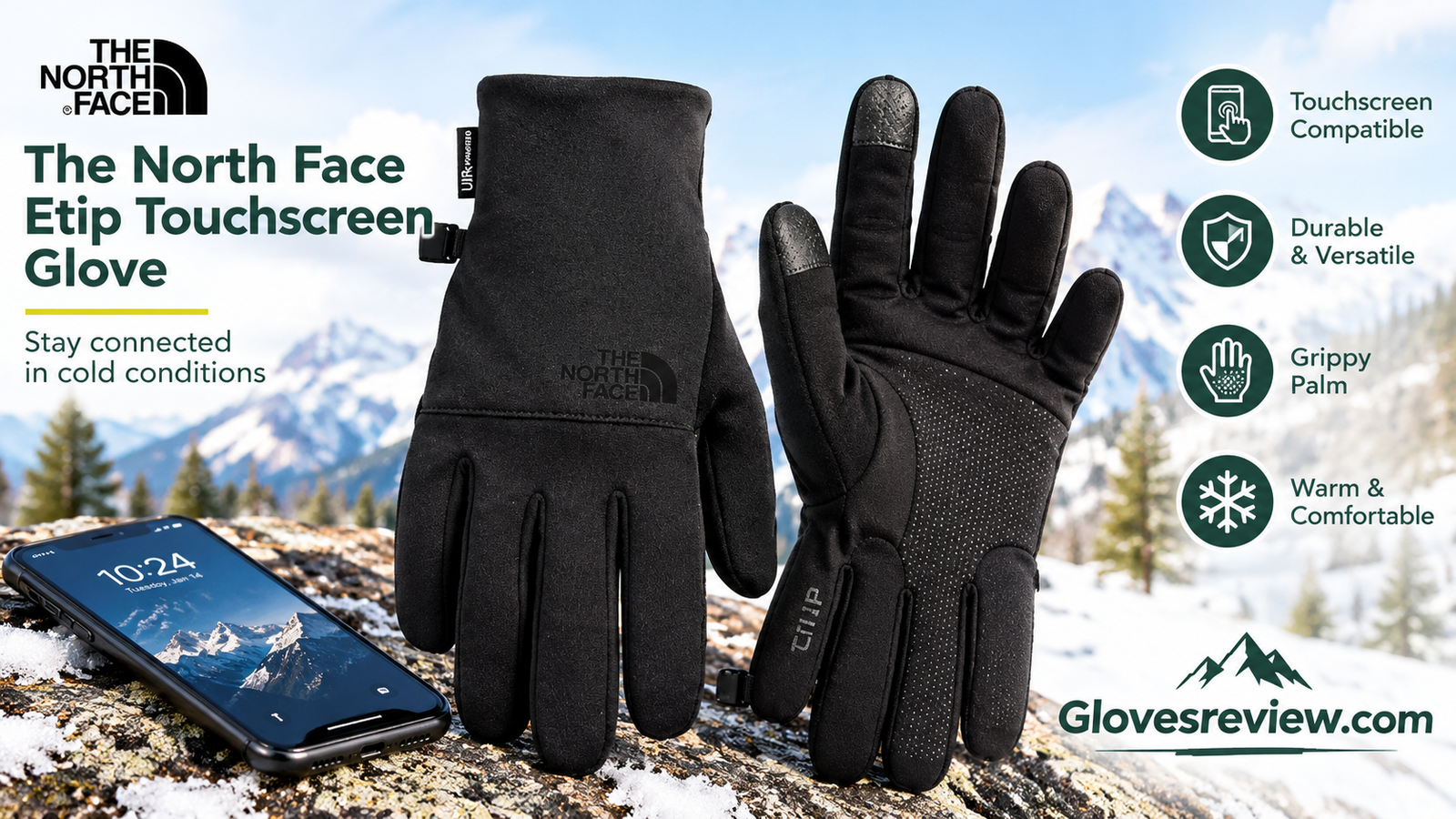
The North Face Etip Gloves
Some gloves advertise touchscreen compatibility as a feature. This one treats it as the entire point of the glove, and it shows in daily use: you stop thinking about which finger to use and simply operate your phone the way you would with bare hands.
Key Features
- Conductive fingertips across the full hand, so multi-finger gestures and camera controls work naturally
- Stretch fleece construction that sits close to the skin without feeling restrictive
- Articulated, pre-curved finger shape that reduces bunching when you grip a phone or a strap
- Textured palm surface for holding smooth devices securely in the cold
- Low-profile, packable build that disappears into a jacket pocket
- Clean, athletic styling that works for a commute, a walk, or a weekend errand run
Pros
- Touch response feels close to bare-finger use
- Excellent dexterity for a warm-weather knit
- Snug fit keeps the conductive tips against the glass
- Versatile across work, travel, and casual wear
Cons
- Not intended for harsh storms or sustained wet snow
- Light insulation means it is a mild-to-moderate cold glove
Who it’s best for: Anyone whose winter involves frequent phone use in ordinary cold — commuters, students, dog walkers, travellers. If you only buy one touchscreen glove and you want it to work every single time, this is the pick to beat.
Check Price on Amazon
Isotoner Touchscreen Gloves
Isotoner has spent decades on the unglamorous art of making a glove that looks tidy with a coat, and that heritage shows. These are the gloves you wear to a dinner, a meeting, or a service where a chunky sport glove would look out of place — and they still let you answer a message without a dramatic glove-removal performance.
Key Features
- Conductive fingertips positioned for tapping, typing, and scrolling
- Smooth, understated exterior that pairs easily with formal and smart-casual outerwear
- Stretch construction that conforms to the hand for a neat silhouette
- Low-profile cuff that sits cleanly under a jacket sleeve
- Moderate lining suited to everyday urban cold rather than deep freezes
- Comfortable enough to wear indoors for short stretches without overheating
Pros
- Refined look that works in professional settings
- Comfortable, close fit with a soft feel
- Easy to get on and off quickly
- Good balance of warmth and screen responsiveness
Cons
- Not built for heavy snow, rain, or outdoor work
- Lighter insulation limits use in extreme cold
Who it’s best for: People who want touchscreen convenience without looking like they are dressed for a trailhead. Ideal as a dress-adjacent glove for city winters, travel, and occasions where appearance matters.
Check Price on Amazon
TRENDOUX Unisex Touchscreen Thermal Gloves
This is the glove that gets recommended in group chats for a reason. It is a straightforward thermal knit that covers the basics properly: warm enough for a real winter day, grippy enough to hold a phone one-handed, and cheap enough that losing a pair is an annoyance rather than a financial event.
Key Features
- Conductive thumb and index fingertips for the most common phone interactions
- Thermal knit construction that traps warm air without heavy bulk
- Stretchy unisex sizing that adapts to a wide range of hand shapes
- Anti-slip palm print for secure grip on phones, cups, and handlebars
- Soft interior that is comfortable against bare skin
- Simple, versatile styling in a glove that layers easily under a shell
Pros
- Excellent everyday warmth for the money
- Reliable grip on smooth devices
- Comfortable stretch fit for most hands
- Works well as a liner under heavier gloves
Cons
- Two-finger touch coverage only
- Knit construction will absorb moisture in heavy precipitation
Who it’s best for: The practical buyer who wants a warm, reliable daily glove and does not need five-finger touch or waterproofing. Also a smart choice as a backup pair kept in the car.
Check Price on Amazon
Our everyday pick
For most commuters and city winters, the Etip is the glove that disappears into daily life and just works. It is the safest choice if you are buying blind.
Check Price on AmazonSection 04
Best budget picks and multi-packs
There is a strong case for spending little on touchscreen gloves. They get lost, they get soaked, they end up in the wrong coat. A value glove that works reliably and can be replaced without guilt is, for a lot of people, the smartest buy in this whole category.
Swipe to see more →
| Product | Best for | Touch coverage | Warmth level | Price |
|---|---|---|---|---|
| Patelai Gloves (3-Pair) | Owning several pairs | Fingertip pads | Light | Check Price |
| Achiou Winter Warm Gloves | Warmth on a budget | Multi-fingertip | Warm | Check Price |
| Anqier Winter Gloves | Everyday commuting | Conductive tips | Moderate | Check Price |
| SIMARI Winter Gloves | Cold-weather activity | Multi-fingertip | Warm | Check Price |
Patelai Touchscreen Gloves (3-Pair)
The strategy with a multi-pack is not that each pair is the best glove you have ever worn. It is that you always have one available. Keep a pair in your work bag, a pair in the car, and a pair by the door, and the “I forgot my gloves” problem simply stops existing.
Key Features
- Three pairs per pack, which is the real headline feature
- Conductive fingertips for basic phone use without removing the glove
- Light stretch knit that pulls on quickly and packs down small
- Simple, neutral styling that suits adults and older kids alike
- Low enough cost to treat as a replaceable everyday item
- Practical as a glove-liner base under heavier waterproof shells
Pros
- Multiple pairs mean no more scrambling for gloves
- Very affordable way to equip a whole household
- Works nicely as a layering liner
- Light and easy to stash anywhere
Cons
- Light warmth — not a deep-winter standalone glove
- Knit build offers no meaningful weather protection
Who it’s best for: Families, commuters who misplace gloves, and anyone building a layering system on a budget. If you want one premium pair and one “everywhere else” pair, this is the second half of that plan.
Check Price on Amazon
Achiou Winter Warm Touchscreen Gloves
Warmth per dollar is where these shine. The Achiou is a properly winter-weight knit that feels substantial in the hand, with conductive fingertips and a grippy palm print — the sort of glove that makes you wonder what the expensive ones are adding.
Key Features
- Conductive fingertips on multiple fingers for easier screen interaction
- Thicker winter knit that holds warmth on genuinely cold days
- Silicone-style palm print that grips phones and handlebars securely
- Elasticated cuff that closes the gap at the wrist and keeps drafts out
- Soft inner surface comfortable for long wear
- Straightforward, unisex design available in a range of simple colors
Pros
- Warm for a glove in this price bracket
- Good grip and phone security
- Snug cuff keeps wind from creeping in
- Great value as a first pair or a spare pair
Cons
- Thicker knit reduces fine fingertip precision
- Not waterproof — expect damp hands in heavy wet snow
Who it’s best for: Budget-conscious buyers in real winter climates who still want phone access. Excellent for school runs, shoveling light snow, and general cold-weather errands.
Check Price on Amazon
Anqier Winter Touchscreen Gloves
Not every glove needs a story. The Anqier is a well-executed, no-drama winter knit: stretchy, snug at the cuff, warm enough for daily use, and equipped with conductive fingertips that handle the phone interactions you do a hundred times a day.
Key Features
- Conductive fingertips sized for tapping and typing accuracy
- Winter-weight stretch knit that conforms to the hand
- Ribbed cuff that seals at the wrist and stays put during movement
- Soft brushed interior for warmth without stiffness
- Low-bulk profile that fits easily into coat and bag pockets
- Clean everyday styling that suits almost any outerwear
Pros
- Comfortable, close fit that improves touch accuracy
- Secure cuff keeps warmth in
- Simple design that ages well
- Strong everyday value
Cons
- Limited protection against sustained rain
- Touch coverage is focused on the main fingers
Who it’s best for: Anyone who wants a dependable daily knit without overthinking it. A particularly good pick for teens and students who are hard on gloves.
Check Price on Amazon
SIMARI Winter Gloves
Activity gloves live or die on grip and fit, and the SIMARI gets both right. It is warm enough for a winter walk or an outdoor workout, grippy enough for a stroller or trekking pole, and touch-capable for the moments between.
Key Features
- Conductive fingertips on multiple fingers for quick screen checks outdoors
- Anti-slip palm texture that holds firm on smooth and wet surfaces
- Close, secure cuff that resists slipping during movement
- Warm winter construction balanced against dexterity
- Flexible knit that moves with the hand rather than fighting it
- Practical design for walking, running errands, and light outdoor work
Pros
- Confident grip in active use
- Good warmth without ski-glove bulk
- Stays in place while you move
- Useful across several winter activities
Cons
- Knit construction only — not for soaking conditions
- Snug fit may feel tight on wider hands
Who it’s best for: Active people who want one glove for winter walks, outdoor fitness, and daily use. If you transition between movement and standing still, this covers both reasonably well.
Check Price on AmazonBuilding a glove drawer on a budget?
Start with a multi-pack for daily use, then add one heavier pair for the worst days. It costs less than a single premium glove and covers more of your winter.
Shop Budget Touchscreen GlovesSection 05
Best for extreme cold and wet weather
When the temperature drops hard or the sky will not stop, the priorities change. Touch capability still matters, but it has to survive alongside real insulation, wind protection, and a shell that keeps melting snow out. These three gloves take that problem seriously.
Swipe to see more →
| Product | Best for | Weather protection | Warmth level | Price |
|---|---|---|---|---|
| MOREOK -30°F Winter Gloves | Extreme cold | Wind and water resistant | Very warm | Check Price |
| OZERO Waterproof Gloves | Wet snow and slush | Waterproof build | Warm | Check Price |
| rivmount Waterproof Gloves | Commuting in weather | Waterproof | Warm | Check Price |
OZERO Waterproof Winter Touchscreen Gloves
Water defeats more winter gloves than cold does. Wet insulation stops trapping heat, hands chill fast, and the whole outing becomes miserable. The OZERO is built around stopping that from happening, with a waterproof shell and enough insulation to be genuinely useful in a northern winter.
Key Features
- Waterproof outer construction designed to keep moisture out in snow and rain
- Conductive fingertips for phone use without exposing your hands
- Insulated winter build that holds warmth in genuinely low temperatures
- Adjustable cuff closure that seals against wind and falling snow
- Reinforced contact areas for handling tools, shovels, and gear
- Structured shape that stays put on the hand during work and activity
Pros
- Real weather protection, not just marketing
- Warm enough for extended time outdoors
- Secure cuff keeps out snow and drafts
- Touch capability in a protective glove
Cons
- More insulation means less fingertip precision
- Bulkier than a knit — not a pocket glove
Who it’s best for: People who spend real time outdoors in snow, sleet, or freezing rain — clearing driveways, walking dogs, working outside, or commuting on foot through a hard winter. If you need more weatherproof options, see our roundup of the best waterproof winter gloves.
Check Price on Amazon
MOREOK -30°F Winter Gloves
The name tells you exactly who these are for. The brand positions this glove for temperatures far below freezing, and everything about the construction follows from that brief: heavy insulation, wind and water resistance, and a palm built for gripping things in the cold rather than for looking slim.
Key Features
- Insulated for very low temperatures, with the brand rating the glove down to -30°F conditions
- Conductive fingertips that keep basic phone functions usable in the cold
- Wind- and water-resistant outer shell for harsh, exposed conditions
- Anti-slip palm for handling tools, shovels, and equipment
- Secure wrist and cuff construction that closes out drafts
- Rugged build intended for repeated outdoor use, not occasional wear
Pros
- Serious warmth for genuinely extreme conditions
- Weather resistance for wind-driven snow
- Strong grip in cold, awkward situations
- Touch capability where many heavy gloves have none
Cons
- Bulk reduces fine dexterity
- Overkill for mild winters and indoor-outdoor days
Who it’s best for: Anyone working or spending long hours outside in severe cold — snow clearing, winter construction, cold-weather hobbies, and northern commutes. If your hands get dangerously cold rather than merely uncomfortable, start here. For related extreme-cold strategies, our guide on keeping hands warm in extreme cold covers the full system around the glove.
Check Price on Amazon
rivmount Waterproof Gloves
Not everyone who needs waterproofing needs a mountain glove. The rivmount aims at the middle ground: sealed against wet weather, insulated enough for cold mornings, and still slim enough to handle a phone, a set of keys, and a transit card without taking them off.
Key Features
- Waterproof construction for rain, sleet, and wet snow
- Conductive fingertips for phone access in bad weather
- Insulated interior balanced for cold urban use
- Reinforced palm area for grip and longer wear
- Moderate bulk profile that keeps reasonable dexterity
- Practical design for commuting, travel, and everyday outdoor tasks
Pros
- Weatherproofing without ski-glove volume
- Good grip and durability at the palm
- Usable touch function in wet conditions
- Versatile across daily and light outdoor use
Cons
- Not as warm as heavy extreme-cold gloves
- Touch accuracy softens with thicker insulation
Who it’s best for: City and suburban commuters who walk, cycle, or wait outdoors in unreliable weather. A strong option if you want one pair to handle both rain and cold. If your winter involves a lot of snow shoveling specifically, also compare our picks for the best gloves for snow shoveling.
Check Price on AmazonHeading into a genuinely harsh winter?
Prioritize waterproofing and cuff sealing first, then warmth, then touch precision. Water is what makes hands cold — everything else follows from keeping dry.
Shop Waterproof Touchscreen GlovesSection 06
Best for running, activity, and touch precision
When you are moving, the glove has one job beyond warmth: stay out of the way. No slipping, no bunching, no fighting the fabric to tap a screen mid-stride. And for anyone who works with fine detail on a phone or tablet, precision at the fingertip becomes the whole point.
Swipe to see more →
| Product | Best for | Touch style | Warmth level | Price |
|---|---|---|---|---|
| Unigear Running Gloves | Running and layering | Fingertip pads | Light | Check Price |
| Glider Gloves Copper-Infused | Precision touch | Conductive-infused knit | Light to moderate | Check Price |
Unigear Running Gloves
Runners generate heat quickly and hate bulk. The Unigear is built for that reality: a close, athletic fit that feels like a second skin, enough warmth to take the edge off a cold start, and touch capability for checking a pace or changing a playlist without breaking rhythm.
Key Features
- Conductive fingertips for quick, one-handed screen use during activity
- Light, athletic construction with minimal bulk at the fingertips
- Close fit that improves both touch accuracy and grip
- Moisture-minded fabric suited to high-output activity
- Doubles as a liner under heavier gloves in severe conditions
- Packable enough to carry once you warm up mid-activity
Pros
- Superb dexterity and screen control
- Very light and easy to carry
- Excellent as a base layer under shells
- Comfortable during sustained movement
Cons
- Light warmth — not a stationary cold-weather glove
- No meaningful waterproofing
Who it’s best for: Runners, walkers, cyclists, and anyone who runs warm and wants maximum control. Also a smart buy as a liner if you layer gloves in deep winter. For more on layering gloves and liners, see do glove liners work.
Check Price on Amazon
Glider Gloves Copper-Infused Touchscreen Gloves
Most touchscreen gloves treat the fingertip as a checkbox. Glider Gloves treat it as an engineering problem, using copper-infused conductive knit so that touch capability is a property of the fabric rather than a patch stuck on the end. The result is a glove that feels unusually consistent on a screen.
Key Features
- Copper-infused conductive knit distributed through the glove rather than limited to small patches
- High-precision touch response for typing, mapping, and detail work
- Close, second-skin fit that keeps conductive fibers in contact with the glass
- Light to moderate warmth suited to active and everyday use
- Consistent performance across multiple fingers
- Slim profile that works as a liner or standalone glove
Pros
- Best-in-class touch accuracy of the group
- Conductivity that does not depend on one small patch
- Excellent fit and fingertip feedback
- Great for detailed phone and tablet use
Cons
- Lighter warmth — better as a mild-cold or layering glove
- Snug fit will feel tight on broader hands
Who it’s best for: Anyone frustrated by gloves that only register a touch half the time. If your phone use is detailed and constant — messaging, navigation, camera work — this is the pick that will annoy you the least.
Check Price on AmazonShopping for a specific sport or activity?
Winter handwear gets very specialized once you move beyond everyday use. Compare purpose-built options for skiing and snow sports before you settle.
Shop Active Touchscreen GlovesSection 07
Best leather, dress, and cashmere-lined picks
There was a time when choosing touchscreen capability meant giving up on looking put-together. That trade is over. These three gloves pair dressy materials and tailored cuts with conductive fingertips, so you can answer a call outside a restaurant without the mitten look.
Swipe to see more →
| Product | Best for | Lining | Style | Price |
|---|---|---|---|---|
| Warmen Cashmere Blend-Lined | Dress upgrade | Cashmere blend | Formal to smart-casual | Check Price |
| REACH STAR Cashmere-Lined | Premium feel | Cashmere | Tailored dress | Check Price |
| Harrms Leather Knitted Cuff | Wind protection | Lined | Dress to casual | Check Price |
Warmen Touchscreen Cashmere Blend-Lined Gloves
The appeal here is simple: these look like the gloves you would wear to a formal occasion and behave like the gloves you use every day. The cashmere blend lining adds a soft, warm interior, while the conductive fingertips keep you connected without the awkward mid-handshake glove removal.
Key Features
- Conductive fingertips positioned for tap and type interactions
- Cashmere blend lining for warmth and a soft, comfortable feel
- Dress-ready exterior that pairs with coats, suits, and formal outerwear
- Classic cuff finish that sits neatly at the wrist
- Close, shaped fit that gives the hand a clean silhouette
- Versatile enough to wear from a workday straight into an evening out
Pros
- Genuinely smart appearance
- Soft, warm lining that feels premium
- Touch capability without visible tech styling
- Works across formal and everyday settings
Cons
- Natural linings need gentler care than synthetics
- Not designed for heavy rain or snow work
Who it’s best for: Anyone who wears a proper coat in winter and wants their gloves to match. Ideal for office commutes, events, travel, and gifting.
Check Price on Amazon
REACH STAR Cashmere-Lined Touchscreen Gloves
Some gloves you wear because you need warm hands. These you wear because they feel good and look considered. The cashmere lining is the luxury signal, but the reason they earn a place here is that the touch capability does not come at the cost of the finish.
Key Features
- Conductive fingertips for phone use in a dress glove
- Cashmere lining that adds warmth with a soft, refined hand feel
- Tailored, shaped fit that follows the natural curve of the hand
- Polished exterior suited to formal and professional settings
- Neat cuff line that layers cleanly under coat sleeves
- A glove that works equally as a personal purchase or a gift
Pros
- Upscale look and feel
- Warm, breathable natural lining
- Touch features that work without being obtrusive
- Comfortable for extended wear
Cons
- Higher care requirements than synthetic alternatives
- Not intended for wet, rugged conditions
Who it’s best for: Buyers who want a premium glove that still handles modern life. Perfect for winter weddings, formal travel, and anyone who values how a glove feels as much as how it performs.
Check Price on Amazon
Harrms Touchscreen Leather Knitted Cuff Gloves
The knitted cuff is the detail that makes this glove work. Leather is excellent at blocking wind, but a leather cuff can gap and let cold air in; adding a knitted wrist solves that and makes the glove easier to get on. It is a small design choice with an outsized effect on comfort.
Key Features
- Conductive fingertips for touchscreen use without removing the glove
- Leather outer that blocks wind and gives the hand a confident grip
- Knitted cuff that seals at the wrist and stretches for easy on and off
- Lined interior for warmth through a cold day
- Balanced styling that works dressed up or casual
- Durable construction suited to regular winter wear
Pros
- Excellent wind protection at the hand
- Knitted cuff keeps warmth in and drafts out
- Versatile style across occasions
- Good grip and long-term durability
Cons
- Leather needs occasional care to stay supple
- Touch performance is focused on the fingertips
Who it’s best for: Drivers, commuters, and anyone who wants a wind-blocking glove that still looks sharp. A particularly good pick for cold, dry winters where wind is the main problem.
Check Price on Amazon
Dress gloves that still work with a phone
If your winter involves coats and occasions more than trails and snow, a lined dress glove with conductive fingertips is the upgrade worth making.
Check Price on AmazonSection 08
Best fingerless and hybrid options
Sometimes the honest answer is that you need your fingertips. Cold offices, garages, studios, warehouses, photography, repairs, craft work — all of them punish you for covered fingers, and no amount of conductive thread fixes that completely.
Evridwear Fingerless Touchscreen Gloves
Fingerless gloves are the one option that cannot get touch wrong, because there is no fabric in the way at all. The Evridwear keeps the palm and back of the hand warm and lets the fingertips do precision work — typing, sorting small parts, handling tools — without compromise.
Key Features
- Fingerless design giving complete, unfiltered fingertip access
- Warm coverage across the palm and back of the hand where heat is lost fastest
- Textured palm surface for holding tools, pens, and devices securely
- Light, flexible construction that does not restrict hand movement
- Practical for indoor cold, workspaces, and high-detail tasks
- Easy to wear for long periods without overheating
Pros
- Perfect touch and precision by definition
- Warm hands without sacrificing dexterity
- Comfortable for long indoor wear
- Great for work that involves small objects
Cons
- Exposed fingertips will get cold outdoors
- No weather protection at the tips
Who it’s best for: People working in chilly indoor spaces, hobbyists, technicians, photographers, and anyone whose hands get cold but whose fingertips stay busy. For outdoor use, treat it as a companion piece rather than your only glove.
Check Price on AmazonHybrid thinking. A common and very effective setup is a fingerless glove worn under a lightweight shell or mitten. You get warmth when you need it and full fingertip access the moment you flip the cover back. If you want to see how that warmth comparison shakes out between handwear styles, our breakdown of mittens versus gloves for warmth is a useful companion read.
Need your fingertips free?
Look for fingerless or convertible designs that let you switch between full coverage and bare-finger precision in seconds.
Shop Fingerless Gloves on AmazonSection 09
Warmth versus dexterity: layering, liners, and stacking
The single biggest mistake in winter handwear is asking one glove to do everything. The second biggest is buying a glove that is too warm for what you are actually doing, then taking it off because your hands are sweating — which is how hands get cold in the first place.
Warmth and dexterity pull in opposite directions. Every millimeter of insulation that keeps heat in also softens the signal your fingertip sends to a screen and dulls the feedback you get when you pick something up. Rather than fight that trade-off, work with it by building a small system instead of hunting for one perfect glove.
The two-glove system
- A light, close-fitting touchscreen glove for active use, mild cold, and frequent phone interaction
- A heavier insulated or waterproof pair for standing still, bad weather, and extended exposure
- Swap between them based on activity level rather than temperature alone
- Costs about the same as one premium glove and covers far more scenarios
The liner system
- A thin conductive liner worn alone in mild conditions
- The same liner worn inside a shell or mitten for severe cold
- Instant warmth adjustment without stopping to change gloves
- Liners also absorb sweat, protecting the outer glove’s insulation
Layering gloves has one important rule: the outer glove must be loose enough to accommodate the liner without compressing it. Compressed insulation stops trapping air, which is the actual mechanism by which a glove keeps you warm. If adding a liner makes the outer glove tight, size up the outer glove rather than skipping the liner.
There is also a wetness angle here. Hands that run hot will sweat inside an over-warm glove, and damp insulation is dramatically less effective than dry insulation. A breathable liner next to the skin moves that moisture outward and keeps the outer layer functioning. Our guide to staying warm in extreme cold covers the wider layering logic, including how gloves interact with sleeves, jackets, and core temperature.
And if your winter is truly severe, or you spend long stationary hours outdoors, battery-powered warmth is worth understanding before you buy a fifth pair of passive gloves. Our guide to the best heated gloves explains what the technology delivers, what it does not, and where a passive glove is still the smarter choice.
Build a system, not a single purchase
Start with a light touchscreen liner glove, then add a shell for the worst days. You will spend less and stay warmer than buying one expensive all-rounder.
Shop Glove Liners on AmazonSection 10
Fit and sizing: why it matters more for touchscreen gloves
With most gloves, fit is about comfort. With touchscreen gloves, fit is about function. A glove that is a half-size too long in the fingers will fold fabric between your fingertip and the glass, and no amount of conductive material fixes a gap.
The fit you want is close without being tight. The glove should follow the contours of your fingers, sit snugly at the tips with no loose material beyond your fingertip, and hold at the wrist without restricting circulation. Too tight is its own problem: compressed insulation loses warmth, and restricted blood flow is the fastest route to cold fingers regardless of what the glove is made of.
- Fingertip contact. Gently press your fingertip against a surface. If you can feel a fold of fabric gathering in front of your finger, the glove is too long.
- Palm tension. Make a fist. The glove should move with your skin, not bind across the palm or pull the cuff down your wrist.
- Wrist seal. Raise your arm overhead. A properly fitted cuff stays in place rather than sliding and opening a gap at the sleeve.
- Circulation check. Wear the glove for five minutes. Fingertips that tingle, go pale, or feel colder than your bare hand indicate the glove is too tight.
Sizing conventions vary widely between brands and between knit and constructed gloves, so published size labels are a starting point rather than a guarantee. Measuring your hand properly removes most of the guesswork: measure around the widest part of your palm and the length from the base of your palm to the tip of your longest finger, then compare against the brand’s chart. Our step-by-step guide to measuring your hand size for gloves walks through the process with the details that actually matter.
One practical tip that solves a surprising number of fit complaints: if you are between sizes on a stretch knit, going smaller usually works better for touch performance than going larger, because the conductive tip stays closer to the glass. For constructed gloves with fixed finger lengths, follow the chart exactly and consider the lining — a cashmere-lined glove occupies slightly more internal space than a fleece-lined one in the same size.
Fit expectations also change with style. A dress glove is meant to feel like a second skin; a snow glove is meant to have a little room for a liner and for air circulation. Our guide on how winter gloves should fit covers those differences by glove type.
Measure first, order second
Two minutes with a tape measure saves the cost and hassle of a return — and gives you a glove where the touchscreen feature actually works as designed.
Find Your Size on AmazonSection 11
Care, cleaning, and keeping touch sensitivity alive
Touchscreen capability is the first thing to degrade in a badly cared-for glove, and it usually degrades quietly. The tips stop working on the first try, then on the second, and eventually you are jabbing at your screen like it owes you money.
The conductive elements in a glove — metallic threads, coated patches, infused fibers — are all vulnerable to the same enemies: abrasion, heat, harsh detergent, fabric softener, and wringing. Care routines that are perfectly fine for a fleece hat can shorten the working life of a glove’s fingertips dramatically.
Do this
- Wash gently by hand in cool water with a mild detergent
- Reshape while damp and dry flat away from direct heat and sunlight
- Store gloves flat or loosely rolled rather than crushed under heavier gear
- Clean the screen you use — residue on glass reduces registration as much as worn tips do
Avoid this
- Fabric softener and dryer sheets, which coat conductive fibers
- High-heat drying, which can damage coatings and elastic
- Aggressive wringing or twisting of wet gloves
- Harsh stain removers applied directly to the fingertips
Drying deserves special attention, because how a glove dries determines whether it keeps its shape and its insulation performance. Direct heat — radiators, heaters, and hot dryer cycles — can shrink linings and break down elastic cuffs. Air drying at room temperature with good airflow is slower and far kinder. If you need gloves ready the next morning, our guide on how to dry wet gloves covers fast, safe methods that do not wreck the materials.
Washing technique matters just as much, particularly for lined and leather-style gloves. Our instructions for washing winter gloves break it down by construction type, and it is worth reading before you throw a leather-cuffed glove into a machine on a whim.
Finally, consider the state of the outer fabric itself. Waterlogged or dirty material will not only feel unpleasant — it can interfere with the electrical path to the glass. If a pair is losing its ability to shed moisture, reproofing the shell restores both comfort and reliability. Our guide to how to waterproof gloves explains which treatments suit which materials.
Make your gloves last multiple seasons
Gentle washing, flat drying, and no fabric softener will keep conductive fingertips working long after a careless laundry routine would have killed them.
Shop Glove Care SuppliesSection 12
Troubleshooting: when your touchscreen gloves stop cooperating
Before you blame the glove, work through this list. A surprising share of touchscreen glove problems turn out to be screen, phone, or technique issues rather than failed conductive material.
- Clean the screen. Oils, residue, and a cheap screen protector all reduce sensitivity. A quick wipe fixes more “broken glove” complaints than any other step.
- Check screen sensitivity settings. Many phones offer a touch sensitivity or glove mode option. Turning it up makes registration noticeably easier through fabric.
- Look at the fingertip, not the glove. Conductive tips wear where they rub. Inspect the pad closely for flattening, discoloration, or a change in texture.
- Check for moisture. A wet glove creates erratic touch behavior — phantom taps, swipes that jump, and missed inputs. Dry the glove fully before diagnosing anything else.
- Watch your technique. A deliberate, slightly slower contact with a bit of fingertip area works better than a fast jab, especially through thicker insulation.
- Consider the temperature. Phones in the cold lose battery output and can register touches less readily. Keeping the device in an inside pocket helps both battery life and responsiveness.
If the glove is genuinely at fault and the conductive material has worn through, there is a useful reality check: conductive thread and coatings are wear items. A heavily used glove that loses touch performance after extensive wear has done its job, and replacing the pair is cheaper and more effective than improvised repairs.
One more scenario worth addressing: hands that stay cold even in good gloves. If that describes you, the problem is usually systemic — circulation, layering, hydration, or simply not dressing for standing still rather than moving. Our guide to keeping hands warm while working outside covers the full picture, and it will save you from buying ever-thicker gloves in search of a fix that is not in the glove at all. For cold-weather work specifically, comparing options built for that purpose is worthwhile — see our picks for the best winter work gloves.
Still getting missed taps?
Work through the checklist first, then consider a glove with full-fabric conductivity if precise touch is central to how you use your device.
Shop High-Precision Touchscreen GlovesQuestions answered
Frequently asked questions about touchscreen gloves
Do touchscreen gloves work with every phone and tablet?
They work with virtually all modern capacitive touch devices, which covers the overwhelming majority of phones and tablets in use. The main variables are screen condition, any screen protector installed, and the device’s own touch sensitivity settings. Older or thicker screen protectors can reduce registration, and some devices offer a sensitivity boost designed for exactly this situation.
Are touchscreen gloves warm enough for a real winter?
Some are and some are not, which is why the category is so confusing. Lightweight commuter knits are built for mild to moderate cold and frequent phone use. Insulated and waterproof models are built for genuine winter exposure but sacrifice some touch precision. Match the glove to the temperature and activity rather than expecting one pair to cover everything.
Why do only the thumb and index finger work on some gloves?
Because those are the fingers most people use to interact with a screen, so many designs limit conductive material there to control cost and preserve warmth. It is enough for scrolling and typing but becomes limiting for camera controls, pinch gestures, or any moment you want to use a different finger. Gloves with conductivity across all five fingertips avoid the issue entirely.
Can I make regular gloves work on a touchscreen?
There are conductive pens, styluses, and aftermarket tips that can bridge the gap, and they work reasonably for tapping. They do not replicate the natural feel of a glove designed for touch, and they add an accessory to keep track of. If touch use is frequent, a purpose-built glove is the better long-term solution.
Do touchscreen gloves lose their touch capability over time?
They can, especially designs that rely on a surface coating rather than woven conductive fibers. Abrasion at the fingertips, high-heat drying, and fabric softener are the usual causes. Gloves with conductivity knitted into the material tend to hold up longer because the capability is not a layer sitting on top.
Can I wash touchscreen gloves in a machine?
It depends entirely on construction. Many knit gloves tolerate a gentle cycle in a洗衣 bag with mild detergent and cool water, while lined, leather, and waterproof gloves are far better washed by hand. Never use fabric softener, and always air dry. Check the specific care guidance for your pair before washing.
Are fingerless gloves better for touchscreen use?
For pure accuracy, yes — bare fingertips cannot be beaten. The trade-off is obvious at the fingertips in cold weather. Fingerless gloves are excellent for indoor work, garages, studios, and mild outdoor use, and they can be paired with a flip-back mitten for warmth when you are not actively using your hands.
What is the difference between touchscreen gloves and stylus-compatible gloves?
Touchscreen gloves are designed so your finger itself registers on a capacitive screen through conductive material. Stylus-compatible gloves are simply gloves that can be worn while using a separate stylus, and they do not necessarily conduct at all. If you want to use your bare fingertip through the fabric, look for conductive fingertips or conductive-infused knit.
Do thicker gloves work worse on touchscreens?
Generally yes. The insulation that keeps you warm also weakens the signal between your fingertip and the glass. Well-designed cold-weather gloves manage this with targeted conductive tips and close fingertip fit, but a very heavily insulated glove will always feel less precise than a thin one.
Should I buy a size smaller so the touchscreen works better?
Only if you are genuinely between sizes on a stretch knit. A slightly closer fit keeps the conductive tip against the glass and improves accuracy. But never buy a glove that restricts circulation — cold fingers caused by a tight glove defeat the entire purpose. Measuring your hand and following the brand’s chart is more reliable than guessing.
Are touchscreen gloves worth it for driving and commuting?
For most people, yes. Handling a phone at a station, a pickup line, a parking lot, or a drive-through with cold bare hands is exactly the scenario touchscreen gloves exist for. Choose a pair with good palm grip if you handle devices one-handed, since a smooth phone and a gloved hand are a risky combination over pavement.
What should I look for if my hands get cold easily?
Start with the system rather than the glove: a moisture-wicking liner, a properly insulated outer layer, a sealed cuff, and correct sizing that does not restrict blood flow. If you are still cold after addressing those, electrically heated gloves may be worth investigating. Our overview of whether heated gloves are worth it helps you decide before spending.
Still deciding?
Use the comparison table at the top to shortlist by category, then check current sizing and color availability before you order.
Check Prices on AmazonFinal word
Conclusion: pick the glove that matches your actual winter
The best touchscreen glove is not the warmest one on the list or the one with the most features. It is the one that matches the conditions you genuinely spend time in — and that lets you use your phone without thinking about it.
If you want one safe recommendation for everyday life, the Etip remains the pick that disappoints the fewest people: full-finger touch capability, a close fit, and enough warmth for ordinary cold without any bulk. If your winter is wet, move to a waterproof build. If it is genuinely severe, prioritize insulation and cuff sealing and accept that touch precision will soften slightly. And if you work with your hands indoors or need exact control, fingerless or conductive-infused options will serve you better than anything insulated.
Whichever route you take, get the fit right and care for the gloves gently. Those two decisions determine how long the touch capability lasts and how warm your hands stay far more than anything written on the label.
Our top recommendation
For the widest range of winters and the most reliable touchscreen experience, start with our overall top pick. If your conditions are unusual, jump to the category section that matches your weather instead.
Check Price on AmazonYou May Also Like
Complete Guide
The Full Touchscreen Glove Guide
Our complete reference on conductive handwear, updated with new picks, buying notes, and category deep dives.
Cold Weather
Best Heated Gloves
Battery-powered warmth for the days when insulation alone is not enough — including what the technology can and cannot do.
Buying Advice
Are Heated Gloves Worth It?
An honest look at when electric heat makes sense, when it does not, and how it compares to a well-built passive glove.
Snow Sports
How to Choose Ski Gloves
Insulation, waterproofing, dexterity, and fit — the factors that matter most when handwear is part of your snow kit.
Comparison
Mittens vs. Gloves for Warmth
Why shared body heat wins on temperature — and where gloves still take the crown for control and convenience.
Practical Tips
Keeping Hands Warm While Working Outside
Layering, circulation, breaks, and glove strategy for long hours in the cold — beyond simply buying thicker gloves.
Product details, sizing conventions, and available colors can change between production runs. Where a specification could not be verified with confidence, this guide describes the product in general terms rather than quoting numbers. Always review the current product listing before purchasing, and check the manufacturer’s care instructions for the specific materials in your pair.